

A front desk sees “active” and schedules the visit. The claim later denies because the response did not show the full coverage picture, or the office relied on a result it cannot reproduce. A portal, clearinghouse, and HETS response may differ in detail or timing. Treat each answer as evidence to reconcile, not as a complete decision by itself.
Medicare enrollment includes aged and disabled beneficiaries, but the linked KFF data does not establish the specific total and category counts cited here. The practical point is scale: eligibility checks need a repeatable record. (KFF data on Medicare beneficiaries by eligibility category)
When responses conflict, compare the beneficiary identifiers, coverage dates, and payer details. Record the source, check date, response, and any follow-up that resolved the mismatch. Keep the original eligibility response with the claim file. That record helps staff explain what they relied on and identify whether a later change, incomplete response, or data mismatch drove the denial.
What a Valid Medicare Eligibility Check Must Confirm
Age doesn't prove coverage. Neither does a Medicare number copied into registration. That's the mistake behind many bad checks, because Medicare has more than one entry route and more than one benefit status to confirm.
A patient can qualify at 65, through disability benefits, or through end-stage renal disease. The Social Security Administration's Medicare program history notes eligibility was extended in 1973 to people entitled to Social Security or Railroad Retirement disability cash benefits for at least 24 months and to the majority of people with ESRD. So a 58-year-old may be covered through disability, while a 66-year-old may have active Part A and no active Part B.
Part A is generally automatic and premium-free at 65 for people eligible for Social Security or Railroad Retirement benefits, even if they haven't started monthly cash benefits. Part B doesn't follow the same assumption. You have to verify it separately, with its own effective date.
What belongs in a complete check
- Medicare Beneficiary Identifier: Confirm the MBI exactly as shown for the patient.
- Qualifying pathway: Identify whether entitlement is age-based, disability-based, or ESRD-based.
- Part A and Part B status: Record active status plus effective and termination dates for each.
- Medicare Advantage or Part D enrollment: Capture plan enrollment that changes the payer or benefit rules.
- Date-of-service fit: Confirm the service date falls inside an active coverage window.
An active result answers whether the patient has Medicare. It does not answer whether Medicare pays this claim on this date.
Choosing Portal, Real-Time or Batch Verification
A patient's portal result shows active Part B, while a clearinghouse response shows no coverage. Staff need a defined way to reconcile that conflict before the claim is submitted. No verification channel covers every workflow, so choose a primary source and specify when to check another.
CMS notes that eligibility responses may differ across Medicare Administrative Contractor portals, clearinghouses, billing agencies, and HETS in its guidance on checking Medicare eligibility. Treat a mismatch as a reason to investigate, not to select whichever answer is easier to process. Record the response source and retain the outputs used to resolve the discrepancy.

Medicare Eligibility Verification Channels Compared
| Channel | Response Timing | Best For | Limitation |
|---|---|---|---|
| MAC provider portal | Real-time, one patient at a time | Small practices and spot checks | Each MAC runs its own portal |
| HETS 270/271 transaction | Real-time | Integrated systems using CMS standards | Requires authenticated provider infrastructure |
| Clearinghouse or vendor tool | Real-time or batch | RCM platforms and high volume | Results may differ from MAC portal responses |
| Batch eligibility file | Delayed, varies by vendor | Large rosters and scheduled runs | Delayed results and file errors may require follow-up |
A MAC portal suits spot checks, but multi-state groups must manage separate logins and choose the correct MAC. Direct HETS fits organizations with authenticated infrastructure and staff able to interpret X12 responses. A clearinghouse for medical billing can support high-volume RCM workflows, though its data source or processing schedule may differ from the portal. Batch files are useful for roster reviews, but their delayed responses should be checked again before relying on them for a scheduled service.
Phone options may be limited, so confirm which methods your MAC currently supports rather than assuming IVR is available. For each workflow, name one primary source, such as a clearinghouse for scheduled roster checks. Set a clear trigger for a second inquiry through the MAC portal or HETS when responses conflict, then keep both results and document why the team relied on the final response.
Step-by-Step Verification and Re-Check Timing
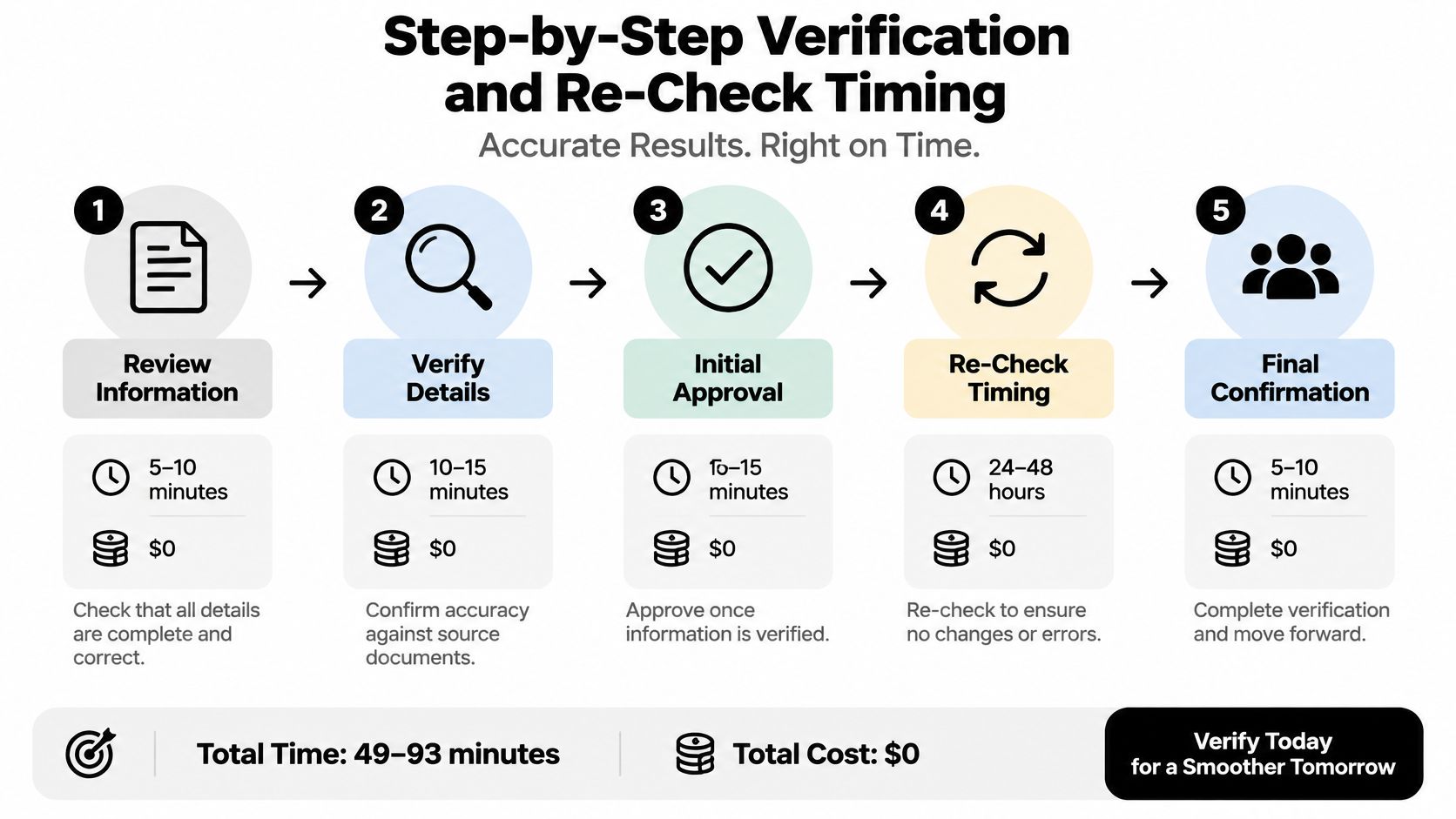
An eligibility response can look clean in one system and conflict with another. Before staff act on either result, they need to confirm that the inquiry used the right patient details and service date, then review the complete response. A green status alone does not establish that a claim is ready.
CMS identifies the MBI, legal first and last name, and date of birth as core HETS search fields. HETS returns a paired 271 response in real time and can provide up to four years of eligibility history, according to the CMS HETS 270/271 frequently asked questions. CMS instructs trading partners to review the complete response to determine eligibility status.
The eight steps for each check
- Confirm date of service and servicing location. Eligibility depends on the service date and the provider or facility context.
- Collect identifiers from the card. Enter the MBI, legal first and last name, and date of birth as shown.
- Normalize the data before submitting. Remove extra spaces and check the date format. Incorrect identifiers can prevent a useful match even when coverage exists.
- Submit a HIPAA X12 270 inquiry. Use an authorized MAC portal, clearinghouse, vendor, or direct HETS connection.
- Read the entire 271 response. Review benefit dates, Medicare Advantage, Part D, Medicare Secondary Payer indicators, hospice status, and benefit limitations.
- Match the service date to each benefit window. Part A activity does not confirm Part B activity, or the reverse.
- Check whether another payer is primary. A secondary-payer indicator can change billing order and patient responsibility.
- Re-run when risk changes. Repeat the inquiry before high-dollar services and after changes to demographics, insurance, plan, or secondary coverage.
Timing that holds up in real offices
Run the check at scheduling so staff can contact the patient about a corrected card before the visit. Repeat it the day before high-dollar services. Assign one person to manage the eligibility log and schedule re-checks, rather than leaving ownership unclear.
When portal, clearinghouse, and HETS responses conflict, compare the service date and identifiers used in each inquiry, then review the full responses before selecting a result. Keep the transaction evidence with the patient account, and use the fuller evidence list later in this article as the retention standard.
Teams that are standardizing how to verify insurance across payers can use the same verification workflow, while checking Medicare responses against Medicare-specific requirements. A green indicator alone does not clear a claim.
Eligibility Fields to Read on the Response
Read each benefit separately. A Part B termination date can coexist with active Part A, and that split is exactly what a summary screen can hide. If staff record only eligible, you've lost the detail that determines whether the physician or outpatient portion gets paid.
The 271 response can return more than Original Medicare status. It may identify Medicare Advantage enrollment, Part D information, secondary-payer status, hospice status, and benefit-specific limitations. Each field controls a different billing decision, so each one needs a specific record to check against.
What Each Eligibility Response Field Confirms
| Response Field | What It Confirms | Check Against |
|---|---|---|
| Name, date of birth and MBI | Patient identity matches the Medicare record | Physical Medicare card and registration data |
| Part A effective date | Start of hospital coverage | Date of service |
| Part B effective date | Start of outpatient and physician coverage | Date of service and procedure type |
| Part A or Part B termination date | Last day of active coverage for that benefit | Date of service |
| Medicare Advantage enrollment | Patient is in a managed plan, so Original Medicare may be the wrong payer | Plan name, ID and network rules |
| Part D information | Drug coverage and plan identity | Pharmacy or specialty drug claim |
| Medicare Secondary Payer indicator | Another insurer may be primary | Other coverage on file and coordination of benefits |
| Hospice or home health status | Claim may fall under hospice or home health rules | Service type and provider |
| QMB status | Cost-sharing protections may apply | Patient balance rules before billing |
Record the controlling values
Train staff to record the field values that controlled the decision, not a one-word summary. For a surgical case, that may mean Part B effective date, Medicare Advantage plan identity, and confirmation that no secondary-payer indicator was present. For a specialty drug, Part D information may matter most.
This isn't extra documentation for its own sake. When a claim routes to the wrong payer, the recorded fields tell you quickly whether registration missed plan enrollment, misread a date, or relied on a response that later changed. That distinction determines whether you rebill, correct coordination of benefits, or re-verify and appeal with evidence.
Effective Dates and Coverage Windows That Change the Answer
Dates decide more Medicare denials than most front desks realize. A patient can be fully entitled and still not covered for your service date, your benefit category, or your payer arrangement.
The Initial Enrollment Period is the timing fact staff should know cold. It's a seven-month window that starts three months before the month a person turns 65 and ends three months after that month, as described in Medicare guidance on joining a plan. The General Enrollment Period runs from January 1 through March 31 each year, with coverage beginning the month after enrollment. A March enrollment therefore starts in April, not on the enrollment date.
Plan enrollment adds another date layer. For Medicare Advantage or a Medicare drug plan, the beneficiary generally must have Part A and/or Part B, live in the plan's service area, and provide the Medicare Number plus Part A and/or Part B effective dates. That means a patient can hold a Medicare number, lack active Part B, and fail eligibility for the specific arrangement you're billing.
Coverage Outcomes by Date Scenario
| Scenario | Date to Check | What It Usually Means |
|---|---|---|
| Turning 65 inside the Initial Enrollment Period | Part A and Part B effective dates | Coverage start depends on the enrollment month and birth date |
| Enrolled during General Enrollment Period (January 1 to March 31) | Enrollment date and effective date | Coverage begins the month after enrollment |
| Service before Part B start | Part B effective date | Physician and outpatient services may not be covered |
| Coverage ended before service | Termination date | Patient may have Part A but not Part B |
| Medicare Advantage plan change | Plan effective date | Original Medicare claim may route to the wrong payer |
| Disability or ESRD entry | Benefit start date | Eligible without reaching age 65, so age is not a usable check |
When a patient recently changed plans, check the plan effective date first, then confirm Part A and Part B effective dates underneath it. When another insurer may be involved, resolve primary vs secondary insurance before you assume Medicare pays first. Don't rely on a card image or an old enrollment record when the service date sits near a start, termination, or plan-change boundary.
Pitfalls, Mismatches and What to Document
A patient can show active coverage in one system while another returns a different result. That conflict needs a defined resolution process, not a staff member choosing whichever response supports the claim. Eligibility records can be outdated or inconsistent, so retain the evidence used to make the billing decision.
Common Eligibility Mismatches and Fixes
| Mismatch | Likely Cause | Fix |
|---|---|---|
| No response although coverage exists | Name, date of birth, or MBI differs from the card | Correct registration against the card and run the inquiry again |
| Portal shows active, claim denies to the wrong payer | Medicare Advantage enrollment is not reflected in the response | Check plan enrollment and bill the plan |
| Portal and clearinghouse disagree | Sources have different data or update timing | Re-run through your defined second source, such as the MAC portal or HETS, and retain both responses |
| Patient billed cost sharing but has QMB status | QMB status was not checked before billing | Stop patient billing and confirm the status |
| Processed claim has incorrect cost sharing | Enrollment information is outdated after a plan change | Verify again after an enrollment change |
| Secondary-payer indicator appears | Another insurer may be primary | Complete coordination of benefits before billing Medicare |
For conflicting responses, compare the same fields across systems: MBI, name, date of birth, Part A and Part B dates, plan enrollment, secondary-payer status, hospice status, and QMB status. Confirm that each inquiry used the same patient identifiers and was checked for the relevant service date. A clearinghouse response, portal result, and HETS inquiry may reflect different sources or timing. Preserve each result, then follow your office's established escalation path rather than silently choosing one.
Evidence to retain for every check
- Transaction control number: Connects the decision to a specific inquiry.
- Timestamp: Records when the response was received.
- Raw 271 and normalized result: Preserves the source response and how your system interpreted it.
- Staff member and source used: Shows who ran the check and which channel was used to resolve a conflict.
Documentation rule: If you cannot reproduce the response you relied on, you have a memory, not evidence.
Check Qualified Medicare Beneficiary status before billing patient cost sharing. A QMB patient may have active Medicare coverage and still have cost-sharing protections. Billing an incorrect balance can create a refund issue and a compliance risk. Record the status check alongside the eligibility response so staff can explain why the patient was or was not billed.
RevGuard works with specialty practices, hospitals, ASCs, and multi-state provider groups on claims, from eligibility verification through coding, billing, payer negotiation, and No Surprises Act IDR. For organizations dealing with denials tied to conflicting eligibility responses, a documented verification process gives staff a clear record of what they checked before submitting the claim. Learn more about RevGuard at RevGuard.