
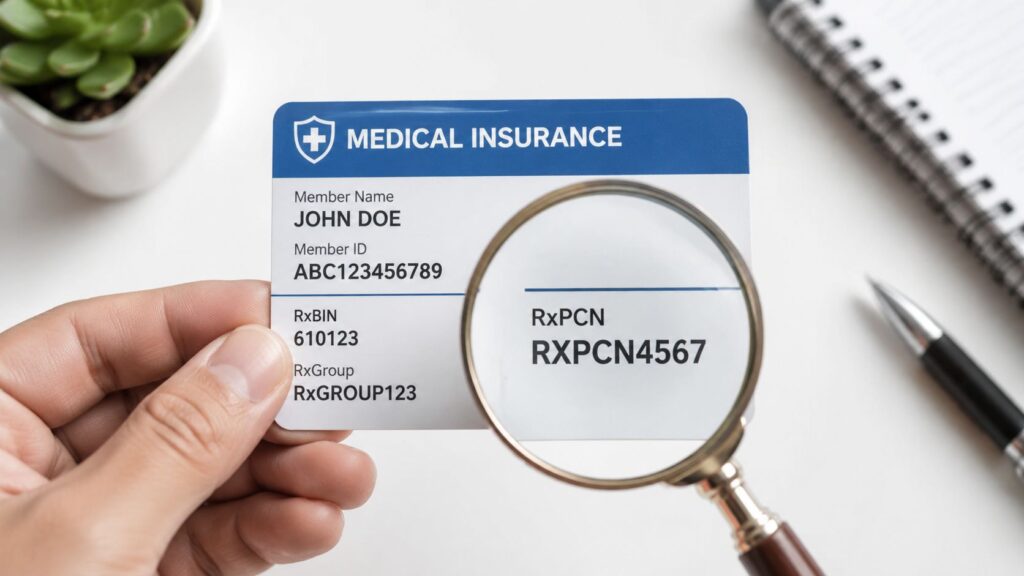
A Processor Control Number, or PCN, is a secondary routing number used by pharmacies to direct prescription drug claims to the correct processor, working alongside the BIN. If the PCN is wrong or missing, a claim can reject even when the patient's member ID and group number are valid.
A practice manager usually feels this problem at the worst possible time, at the pharmacy counter, after staff have already confirmed the obvious fields and the medication still won't go through. In specialty settings, that delay can slow treatment, create avoidable rework, and turn a small data-entry miss into a revenue problem. The PCN is one of those fields that looks minor until it starts driving denials.
The Hidden Reason Behind Common Claim Denials
A prior authorization is approved, the patient is active, and the pharmacy still sends back a rejection. The front desk checks the member ID again, the group number matches, and no one can see why the claim won't adjudicate. That's where the PCN often shows up as the missing piece.
PCN means Processor Control Number, and in pharmacy billing it is part of the routing logic that gets the claim to the right processor. The problem is that staff often focus on the medical side of the card and overlook the pharmacy section, where the routing fields are located. RevGuard's denial management guidance is relevant here because this is exactly the kind of upstream error that becomes downstream rework.
Why this matters in practice
The PCN is not a decorative field. It helps pharmacies route the prescription electronically to the correct processor within a PBM's system, and that makes it part of the claim's basic infrastructure rather than a nice-to-have detail. According to the definition provided in the verified data, a correctly insured patient can still face a rejection if the PCN is missing or incorrect.
That matters most when the medication process is tied to a broader specialty workflow. A practice may be handling an infusion, an injectable, or a drug that sits close to a medical procedure, and the team needs the pharmacy data to be just as clean as the medical eligibility data. The claim doesn't care that the coverage is “basically right.” It only responds to the exact routing fields it receives.
Practical rule: If the pharmacy claim rejects and the obvious patient data looks correct, check the PCN before you start chasing the member ID or plan name.
The operational lesson is simple. The PCN is a small field with a large impact, because it helps prevent a claim from going to the wrong place in the first place. That's what makes it a revenue protection issue, not just a card-reading issue.
Decoding the PCN and Its Role in Pharmacy Claims
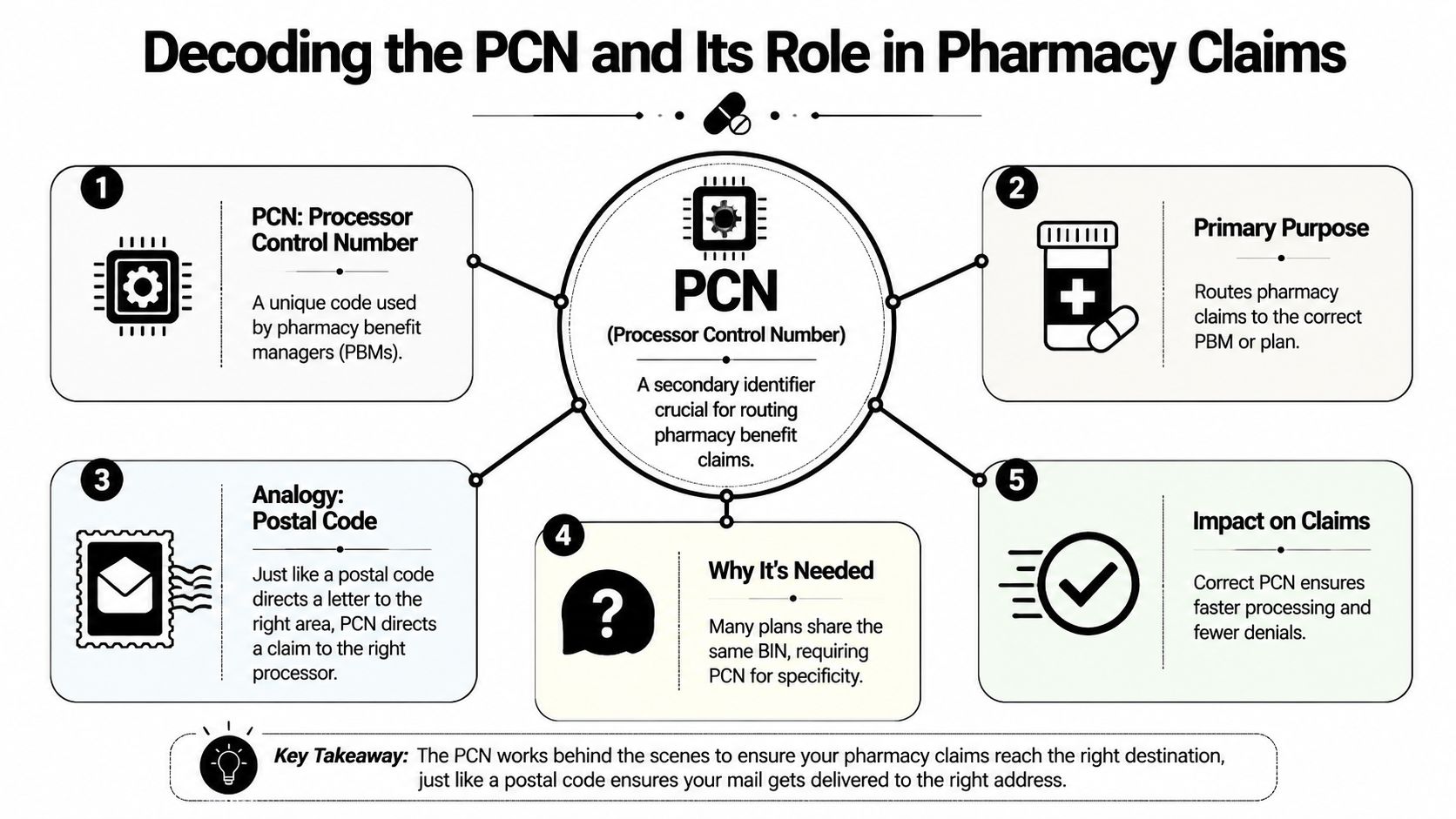
Think of the BIN as the main postal hub and the PCN as the route that gets the claim to the right destination inside that hub. The BIN identifies the pharmacy benefit manager, while the PCN narrows the claim to the correct plan or sub-group within that PBM's system, which is why both fields have to work together. The Rx BIN overview pairs naturally with this concept because the BIN and PCN are part of the same routing chain.
What the PCN actually does
PCN stands for Processor Control Number. In pharmacy claims processing, it acts as a secondary identifier that tells the processor which internal plan rules apply, so the claim doesn't just reach a PBM, it reaches the right slice of that PBM's setup. That's why the PCN is often printed in the pharmacy benefits section alongside RxBIN and RxGrp.
The easiest way to make this stick is to compare it to a zip+4 style address. The first part gets the claim into the right system, and the second part tightens the routing so it lands on the exact plan configuration that applies to the patient. Without that second layer, the claim can land in the wrong place even though the broader insurer relationship is correct.
That matters because pharmacy billing is not only about eligibility, it's about the exact processor path. The PCN helps the pharmacy apply the right plan-specific routing, which affects whether the claim clears cleanly or gets rejected for a mismatch. In major markets like the United States, this makes the PCN one of the core administrative identifiers for retail pharmacy billing rather than a medical-benefit identifier.
How the identifiers work together
The PCN does not replace the BIN, and it doesn't act like a member ID. It works alongside the other pharmacy fields so the claim can be routed correctly the first time. If one of those routing fields is off, the pharmacy may still have the patient's coverage in hand, but the system can't finish the transaction.
A claim can be medically valid and still fail administratively if the pharmacy routing data isn't exact.
That's the key operational takeaway. The PCN isn't a side note. It's one of the fields that keeps pharmacy claims aligned with the correct benefit structure, which is why billing teams should treat it as part of the claim's foundation.
Locating the PCN and Identifying Common Variations
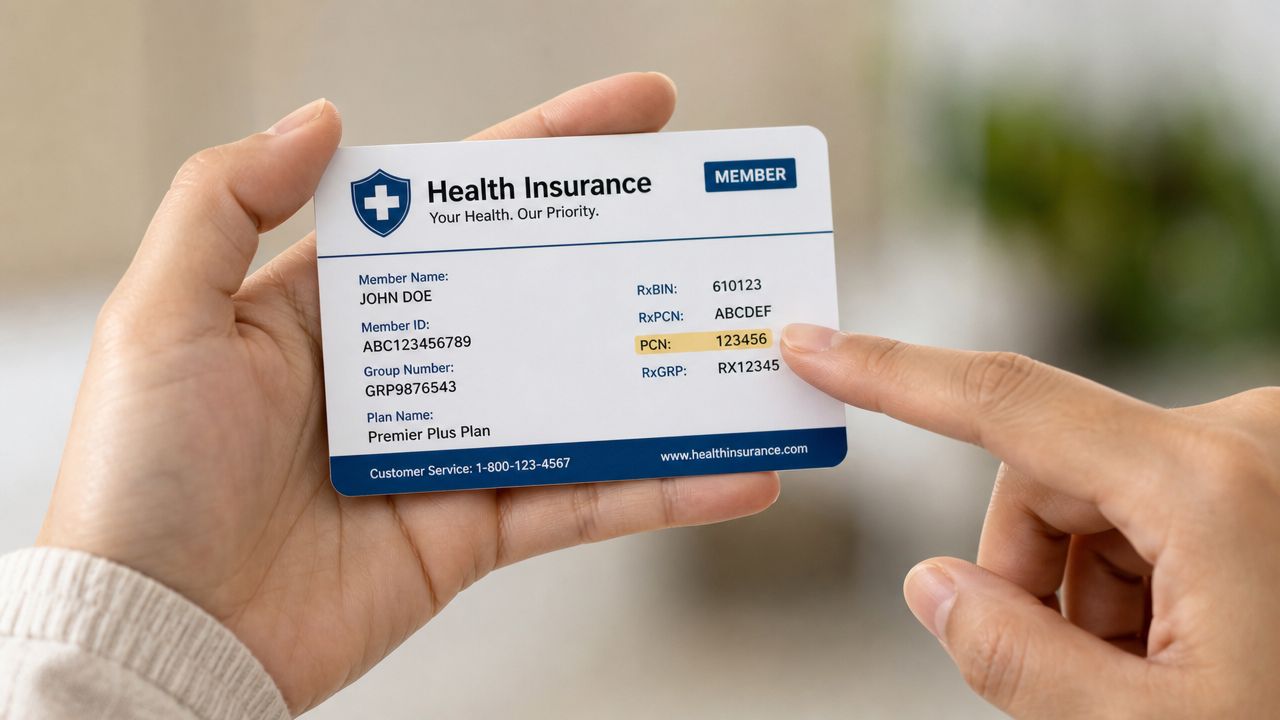
The first mistake staff make is assuming every card presents the PCN in the same place. That assumption breaks fast. Some payers place PCN on the front, others on the back, and some use proprietary alphanumeric codes such as MEDDAET or PARTBAET instead of a simple numeric label, which means the field is not standardized in appearance or format.
Where to look first
The PCN is typically in the pharmacy benefits section of the card, usually near RxBIN and RxGrp. It may be labeled clearly as PCN, or it may appear as a code that only makes sense once the plan type is known. That's why staff shouldn't stop at the first card face they see. They need to inspect both sides, then read the surrounding pharmacy labels together.
The lack of standardization creates an intake problem. A team member might know where the PCN appeared on one payer's card and assume it will sit in the same spot on another. In reality, the field can move, change format, or show up under a payer-specific convention. That's one reason pharmacy verification needs to be a deliberate step, not a quick glance.
What variation means for workflow
Variation doesn't change the definition of the PCN. It changes how much discipline the front desk needs when collecting it. If a card uses a proprietary code, staff can't rely on the field looking familiar. They need to recognize the pharmacy section as a set of routing data, not a single fixed label.
If the card looks different from online examples, that doesn't mean the information is wrong. It usually means the payer formats pharmacy routing differently.
That's especially important for teams that process a lot of specialty patients. When medication access depends on the claim moving cleanly, the intake team can't afford to overlook a field just because it isn't where they expected it. For a closer look at the practical stakes of this issue, the payer-side variation described in the pharmacy claims workflow is worth keeping in mind as a day-to-day verification issue.
PCN vs BIN Group Number and Member ID
These four fields get mixed up all the time because they live near each other, but they do different jobs. The safest way to think about them is that each one answers a different question about the claim, the plan, or the person.
| Insurance Card Identifier Breakdown | Primary Function | Common Use Case |
|---|---|---|
| Member ID | Identifies the patient | Confirms who the covered person is |
| Group Number | Identifies the employer or group plan | Applies plan-level benefit structure |
| BIN | Identifies the pharmacy benefit manager | Sends the claim to the right processor |
| PCN | Routes the claim to the correct plan or sub-group within that processor | Refines pharmacy claim routing |
Why the fields are not interchangeable
The Member ID is the person. The Group Number is the coverage group. The BIN points the claim to the PBM. The PCN narrows that claim to the right processor path inside the PBM's system. If a staff member swaps any of them, the data may still look “close,” but close is not good enough in pharmacy billing.
The most expensive mistake is assuming the group number can stand in for the PCN, or that the member ID will make up for a missing routing field. Those numbers solve different problems. One tells the system who the patient is, another tells it which plan bucket to use, and the pharmacy fields tell it how to process the prescription claim itself.
How to train staff to read them
A practical training rule is to read the pharmacy section left to right, then compare it to the medical side only after the pharmacy routing fields are confirmed. That keeps the team from importing habits from medical billing into pharmacy billing. Medical claims often rely on different identifiers and different routing logic, so the card has to be read in context.
The main operational consequence of confusing these fields is denial risk. A valid patient can still generate a reject if the processor doesn't receive the exact pharmacy routing setup it expects. That's why the front desk shouldn't think in terms of “insurance card checked.” It should think in terms of whether the right identifiers were captured for the right side of coverage.
Why the PCN Is Critical for Revenue Cycle Management
A missing PCN turns into work long after the patient leaves the office. Someone has to stop, look up the routing detail, call the payer or pharmacy, correct the entry, and resubmit. That sequence delays payment and adds avoidable labor, which is why this field belongs in revenue cycle conversations, not just intake training.
The specialty practice pressure point
Specialty practices feel this faster than general outpatient offices. When medication access is tied to the visit, the procedure, or a same-day plan, pharmacy verification becomes part of the clinical workflow. If the PCN is wrong, the patient may not get the drug on time, and the practice may end up managing a care delay that started as a billing error.
That's especially relevant in settings where pharmacy benefit and medical benefit decisions overlap. A team that is used to verifying medical eligibility can miss the separate pharmacy routing layer because the card looks “already verified.” In practice, that mistake often shows up as a rejected claim, a frustrated patient, and more time spent on follow-up than on clean claim submission.
Why this is a denial prevention issue
The PCN is a leverage point because it sits upstream of the reject. If the identifier is correct at intake, the claim has a cleaner path through the system. If it's wrong, the error may not surface until after the medication has already been processed or attempted, which makes the fix slower and more disruptive.
A lot of denial management work is reactive. The better move is to make the routing data accurate before submission. That's how teams protect throughput, reduce back-and-forth with payers, and avoid turning a simple pharmacy detail into a larger revenue issue.
The cheapest claim to fix is the one that never rejects.
That principle applies here. For practices that depend on tight specialty workflows, the PCN is one of those small fields that can steadily protect cash flow when staff treat it with the same discipline they give to member verification.
A Front-Desk Protocol for Reducing PCN-Related Denials
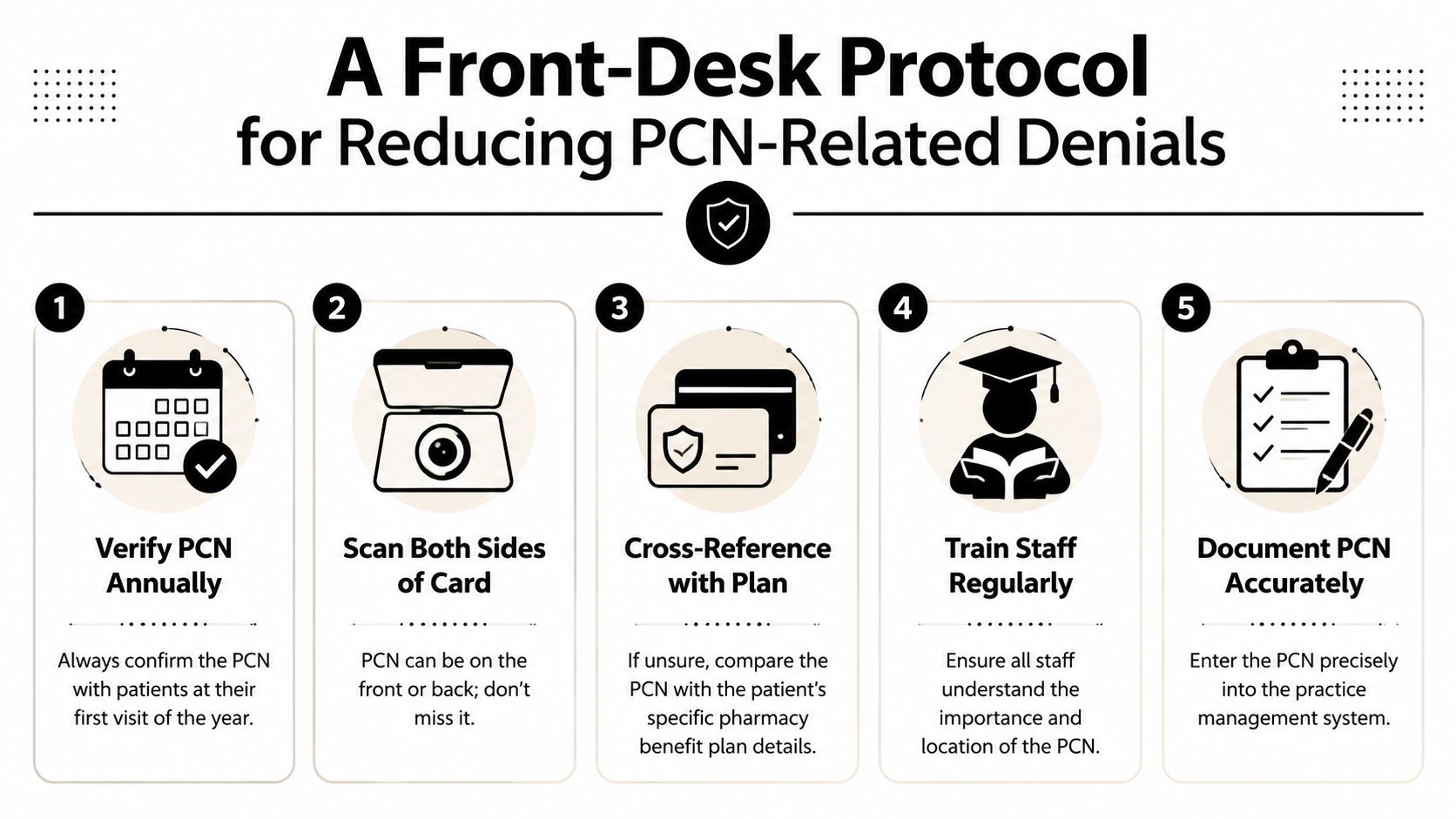
A good front-desk protocol does not need to be complicated. It needs to be consistent. When staff verify the pharmacy routing fields the same way every time, the practice cuts down on the most common avoidable reject patterns.
A practical checklist
- Scan both sides of the card. PCN can sit on the front or the back, so intake staff should never assume the first side is complete.
- Verify the pharmacy section separately. Medical eligibility and pharmacy routing are not the same thing, and the PCN belongs to the pharmacy side.
- Capture the exact field as shown. If the payer uses a code like MEDDAET or PARTBAET, enter it exactly as printed.
- Build a payer quick-reference sheet. Keep a simple internal reference for the top plans your practice sees, so staff can spot odd formatting faster.
- Escalate missing or unclear PCNs before claim submission. A payer or provider verification call beats a rejected claim and a cleanup cycle later.
What staff should do when the PCN is missing
If the card doesn't show a PCN clearly, don't guess. Compare the card image to the patient's plan details, then confirm the pharmacy benefit routing through the payer before the claim goes out. If your workflow supports eligibility review, tie the verification step to that process instead of treating it as a separate afterthought. Medical eligibility verification workflow guidance fits naturally into that process because the same intake discipline that verifies coverage can also catch routing errors.
The point is not just to collect more data. It's to collect the right data in the right order. Staff should verify the card image, document the pharmacy routing fields cleanly, and stop the claim from moving forward if the PCN looks wrong or incomplete.
If your practice handles specialty drugs, infusions, or any service where medication access affects both care and reimbursement, make PCN verification a required intake checkpoint today. Tightening that one step can prevent avoidable pharmacy rejects, reduce staff rework, and keep claims moving without unnecessary delays.
A CTA for RevGuard.